- Call us 01444 237070

-
- Back
- Used Cameras
- Used Accessories
- Used Lenses
- Back
- Used Canon Lenses
- Used Nikon Lenses
- Used Fujifilm Lenses
- Used Sony Lenses
- Used Micro 4/3rds Lenses
- Used Leica Lenses
- Used Panasonic Lenses
- Used Pentax Lenses
- Used Samyang Lenses
- Used Sigma Lenses
- Used Tamron Lenses
- Used Tokina Lenses
- Used Voigtlander Lenses
- Used Zeiss Lenses
- Used Hasselblad Lenses
- Used Video
- Used Film Equipment
- Used Stock Alert
- Used Blank Test
- Sell or Part Exchange
- Used Clearance
- Recently Added Used Equipment
- Park Picks
- Faulty
- Trade-In
- Blog
- New in
- Call us
- Contact us
- Stores
- Sign in
Call us: 01444 237070
Search terms
Brands
Category
Products
[[{name}]]
[[{attributes.Price}]]
- Categories
- Tips & Inspiration
- Reviews
- News
- Events
- Features
- Buying Guides
- Competitions
DJI Mic Mini 2 Review and Comparison
Explore the DJI Mic Mini 2 in this review and combo comparison for vloggers and solo creators.
Many mobile phone creators, casual vloggers and occasional content creators opt for the Mini series wireless microphone rather than the full-size Mic 2 or 3, thanks to it offering an ultra-compact, lightweight and portable design, as well as coming in at a more affordable price point.
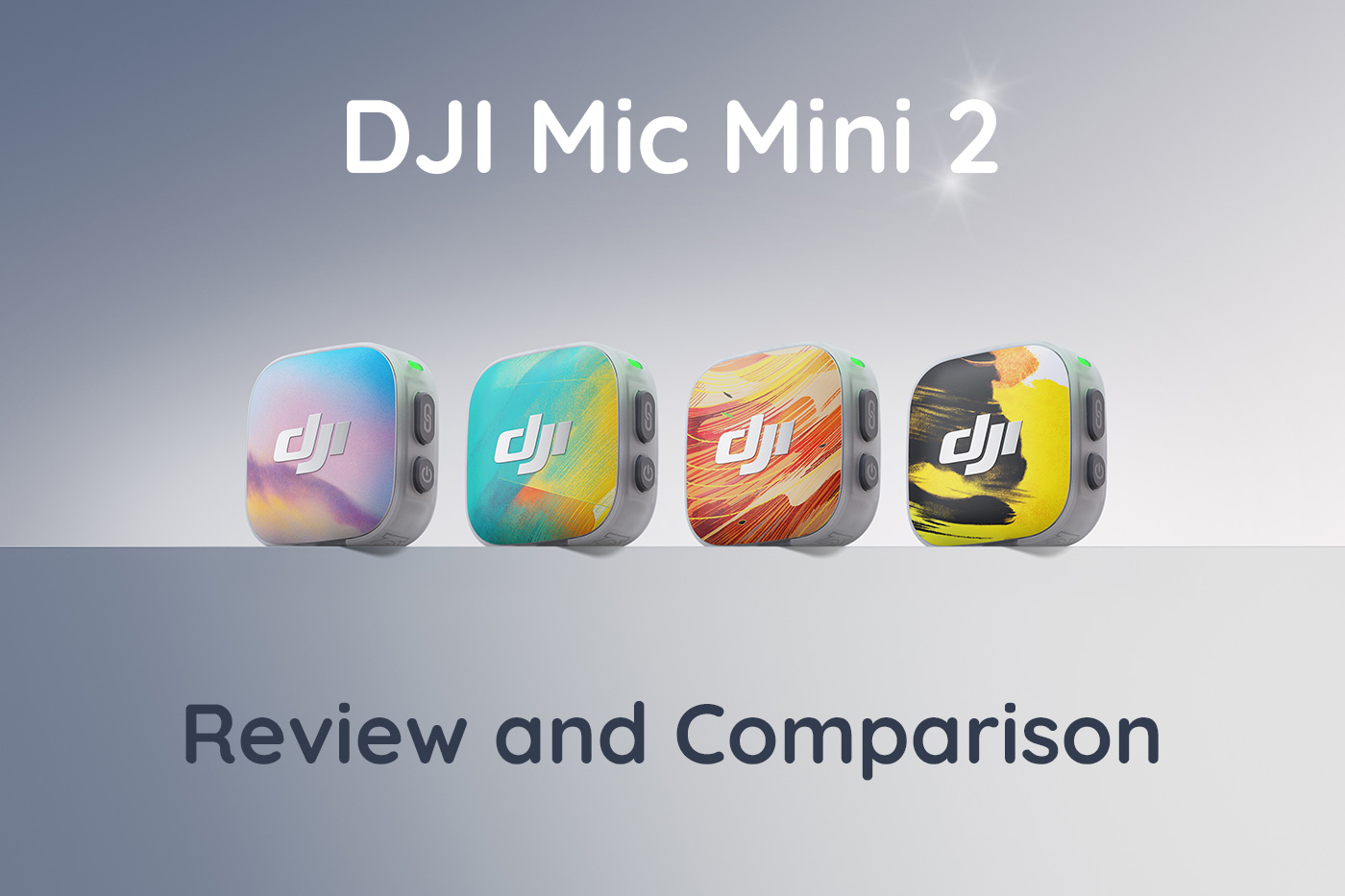
In this first-look review, we explore what’s new, what DJI has upgraded and compare kit versions so you can decide which you need in order to upgrade your own wireless audio setup.
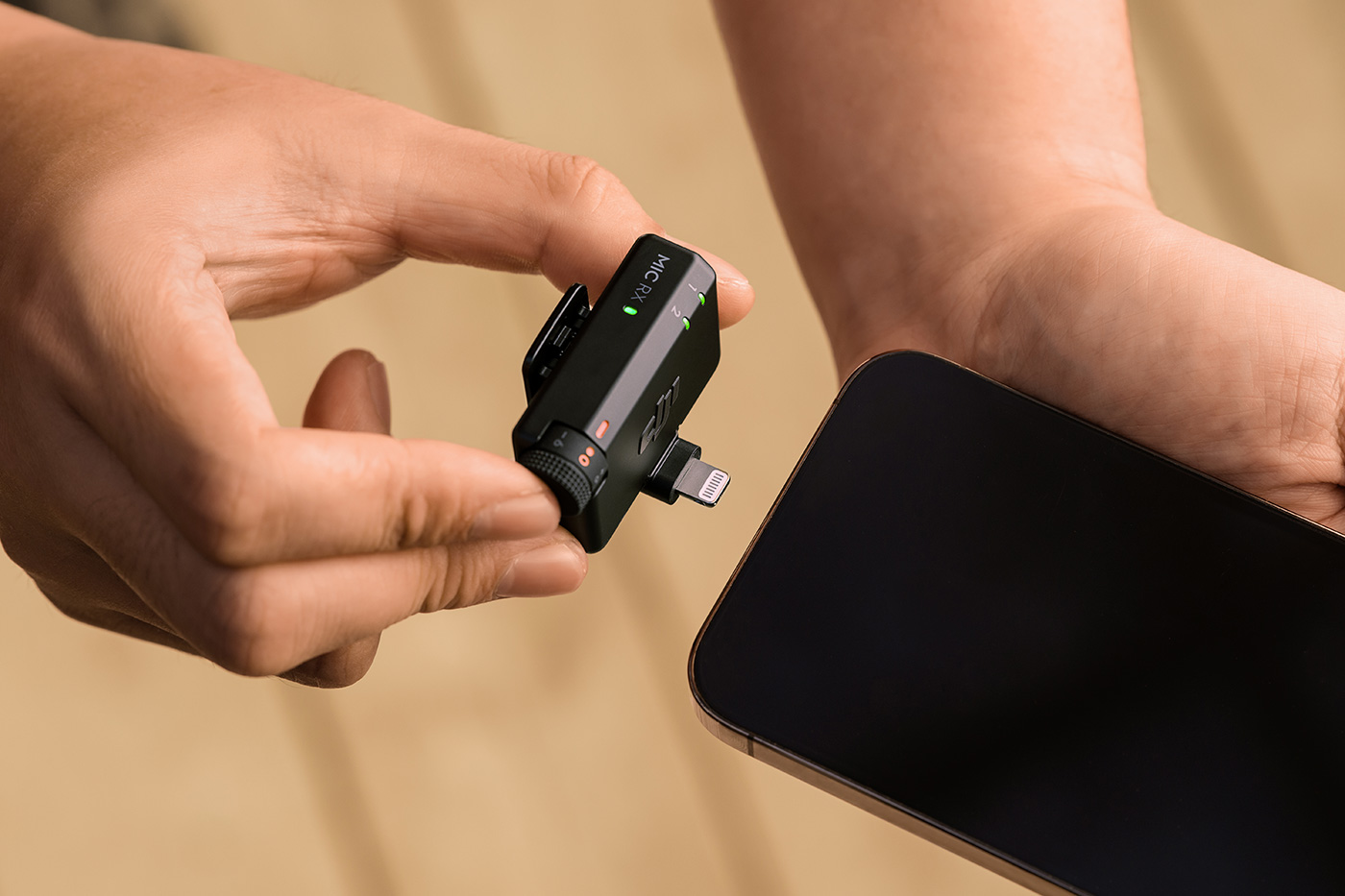
We also look at newly launched accessories like the Lightning adapter and more, so you can see precisely what you’ll need to take your audio to the next level, whether using a smartphone, digital camera or a compatible camera such as Osmo Pocket or Action.
At first glance, this is a simple mic, but with the various kits, generational upgrades and version comparisons, it’s quite involved, so let’s get stuck in with prices and combos for the UK launch.
Launch date and UK price
The second-generation was released on 28th April 2026, which is just under two years since the first generation arrived.
There are four versions to choose from, depending primarily on whether it’s just you, whether you intend to interview or speak with other talent, and whether you use a mobile phone or a camera or similar devices.
Mini 2 models and prices include:
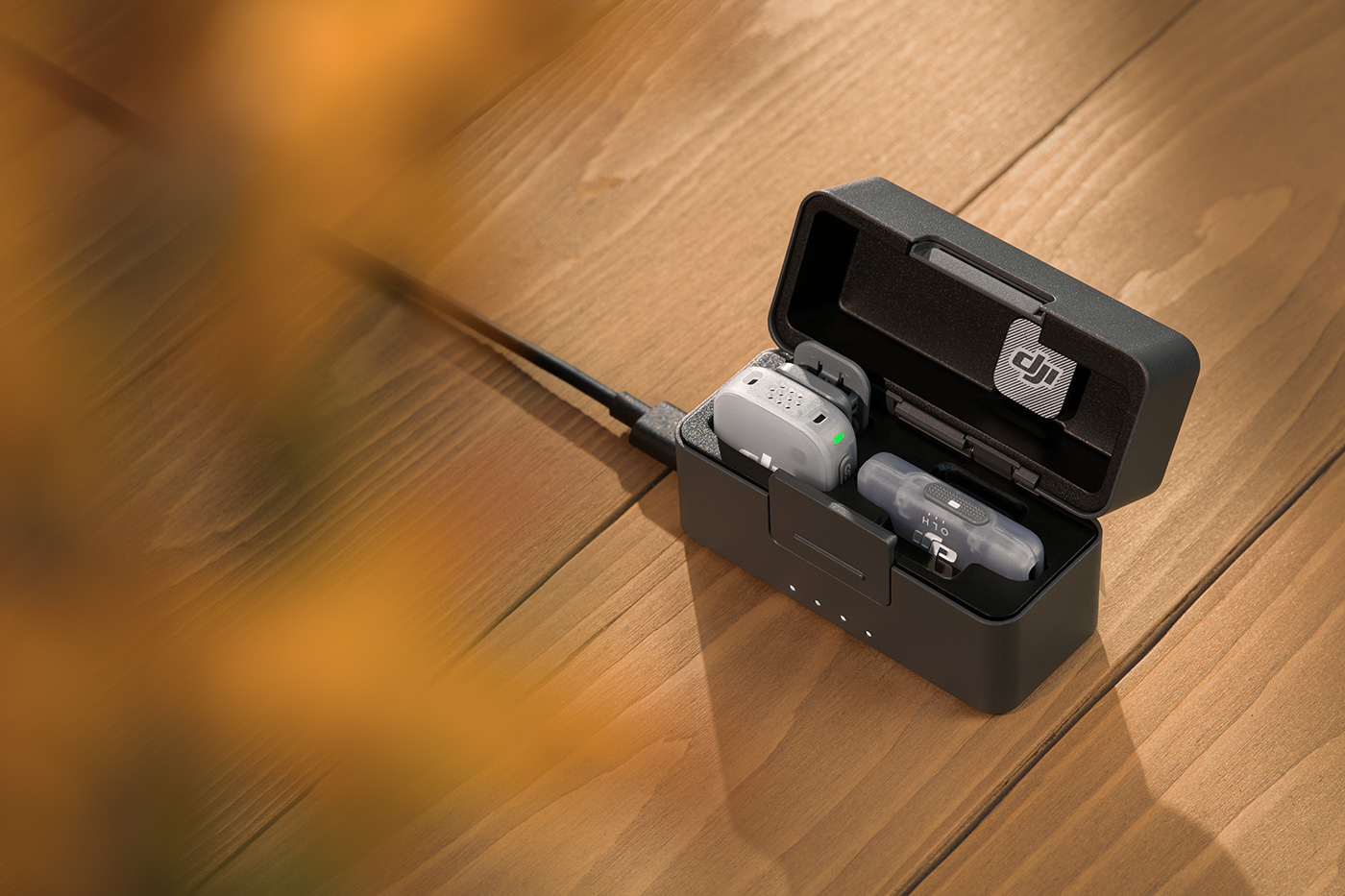
- Mic Mini 2 (2TX + 1RX + Charging Case) – £89.00
- Mic Mini 2 (1TX +1 RX) – £49.00
- Mic Mini 2 (2TX +1 Mobile RX + Charging Case) – £69.00
- Mic Mini 2 (1TX +1 Mobile RX + Charging Case) – £49.00
This reflects a very approachable price for wireless audio that offers versatile features for content creators, while still being simple to use. But what’s changed for this generation? Let’s find out next.
What’s new in version 2?
Updates focus on flexibility and system integration and audio control is expanded, adding broader system compatibility and new accessory options across the range.
Key improvements include:
- Three voice tone presets.
- Mixed device transmission with transmitters via supported receiver modes.
- The receiver includes a five-step gain control dial for quick adjustment
- Multi-colour magnetic front covers available as an accessory option.
- Time Series magnetic front covers by Victo Ngai available as an accessory option.
- Multi-colour windscreens available as an accessory option.
- Support for Receiver workflows and mobile recording kits.
What is audio quality like?
It records omnidirectional audio at 48kHz and 24-bit depth, with a frequency response of 20 Hz to 20 kHz. The ability to capture sound from all directions is useful for a variety of applications, including live events, interviews and ambient sound.
The 48kHz sample rate and 24-bit depth provide a wide dynamic range with good sound quality, delivering clear and detailed recording with less audio clipping when the automatic limiting feature is enabled. Additionally, the microphone offers noise cancellation with basic and strong modes, reducing unwanted noise such as from a camera fan or air conditioning, through to louder environments where background noise needs to be reduced.
The mic includes a rotatable clip, which can keep the capsule aimed at the sound source regardless of mounting position for more consistent audio.
Gain is controllable via a dedicated dial, which has five positions, allowing for simple adjustment without needing to go into the app, and you can record a second track at 6 dB below the main track by using the safety track feature in the Mimo app. This provides a backup which is useful in critical situations where the primary recording has peaked or clipped.
Voice tone presets are available in Mini 2, which allow you to adjust how vocals are captured, with options to balance, add low-end presence or increase clarity. These are worth experimenting with in different environments so you become familiar with which sounds best.
All in all, it punches well above its weight and offers enough control via the app or receiver to capture decent audio quality for a range of applications.
We compare the new model with the first generation mic next, allowing you to gauge what’s changed so you can see whether to upgrade.
Gen.1 Vs 2 Specs comparison
|
|
Mic Mini 2 (new) |
Mic Mini |
|
Transmitter Weight |
Approx. 11 g (excluding clip and magnet) |
Approx. 10 g |
|
Transmission System |
GFSK 2 Mbps |
GFSK 2 Mbps |
|
Operating Frequency |
2.400–2.4835 GHz |
2.400–2.4835 GHz |
|
Bluetooth Version |
Bluetooth 5.3 |
Bluetooth 5.3 |
|
Max Transmission Distance |
Up to 400 m |
Up to 400 m |
|
Operating Time (TX) |
Up to 11.5 hours |
Up to 11.5 hours |
|
Operating Time (RX) |
Up to 10.5 hours |
Up to 10.5 hours |
|
Charging Case Runtime |
Up to 48 hours |
Up to 48 hours |
|
Charging Time (TX) |
Approx. 70 minutes |
Approx. 90 minutes |
|
Charging Time (RX) |
Approx. 100 minutes |
Approx. 100 mins |
|
Audio Recording |
48kHz 24-bit |
48kHz 24-bit |
|
Polar Pattern |
Omnidirectional |
Omnidirectional |
|
Frequency Response |
20 Hz – 20 kHz |
20 Hz – 20 kHz |
|
Maximum SPL |
120 dB SPL |
120 dB SPL |
|
Equivalent Noise |
24 dBA |
24 dBA |
|
Noise Cancellation |
Two-level |
Two-level |
|
Voice Tone Presets |
Three presets (Regular, Bright, Rich) |
Not supported |
|
Automatic Limiting |
Supported |
Supported |
|
Safety Track |
Supported (-6 dB backup) |
Supported (-6 dB backup) |
|
Low Cut Filter |
Supported |
Supported |
|
Gain Adjustment |
5-level control via receiver/app |
Supported via app |
|
Connection Capability |
Supports mixed pairing across Mini, Mini 2, Mic 2 and Mic 3 |
Limited to Mic Mini transmitters only |
|
OsmoAudio Direct Connection |
Supported |
Supported |
|
Bluetooth Direct Recording |
Supported |
Supported |
|
Mobile Receiver Support |
Fully supported (USB-C plug-in receiver ecosystem) |
Supported |
|
Charging Case Cycles |
Approx. 3.6 cycles |
Approx. 3.6 cycles |
The specs table highlights how this generation is more of an incremental update, with enhanced ecosystem integration rather than offering significantly better audio quality. Voice tone presets are useful, and the microphone works across the various DJI mic generations, providing cleaner phone-first workflows as well as refinements to handling.
If you have the original version, upgrading primarily comes down to usability rather than improvements to audio quality, which is already good in the first generation.
Why choose it over the regular size microphone?
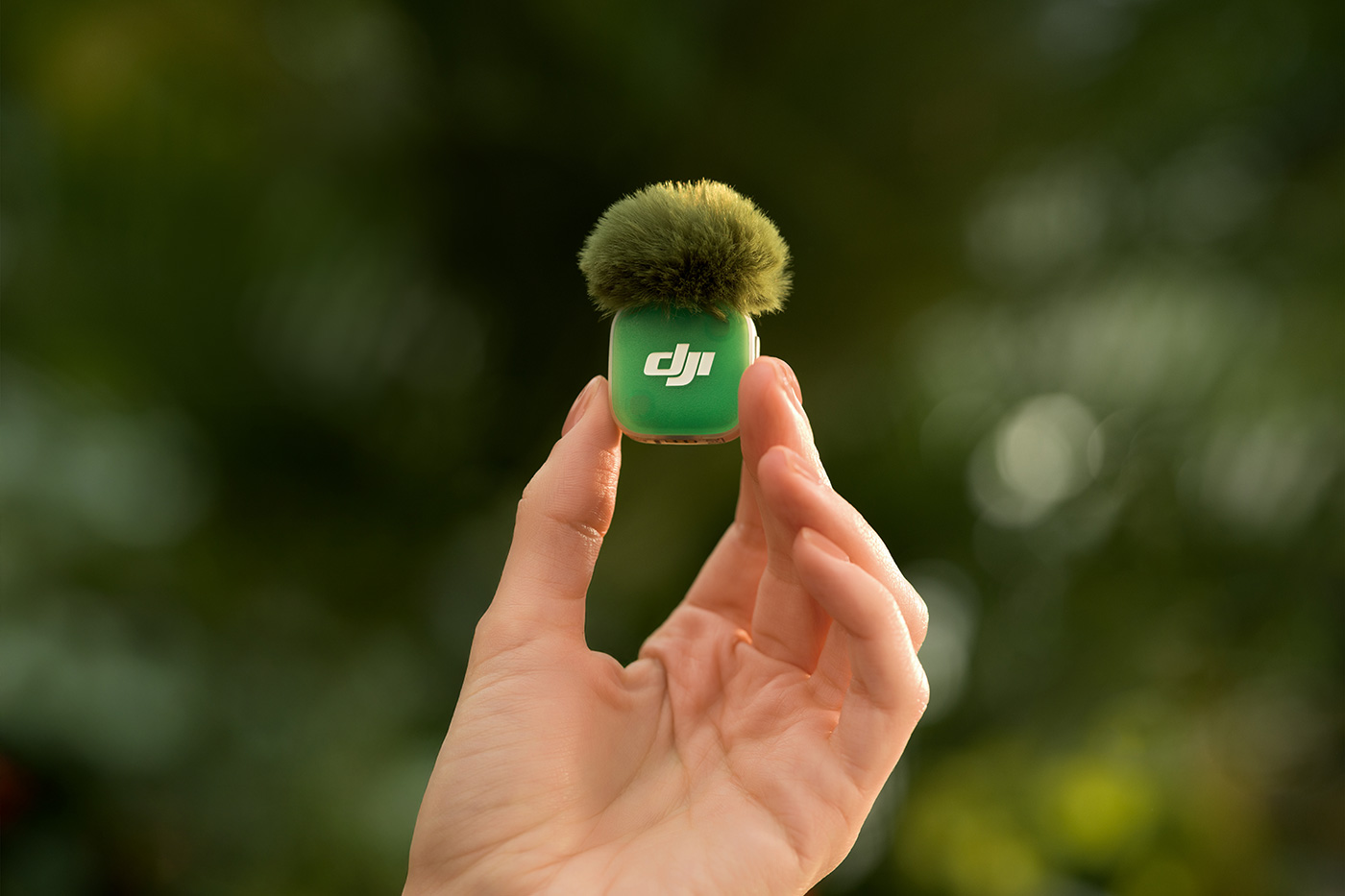
This is a simpler device than its larger sibling, with fewer controls to look after. The receiver is not only smaller, but the accessory charging case is smaller, albeit with a slightly more plasticky feel than the larger model.
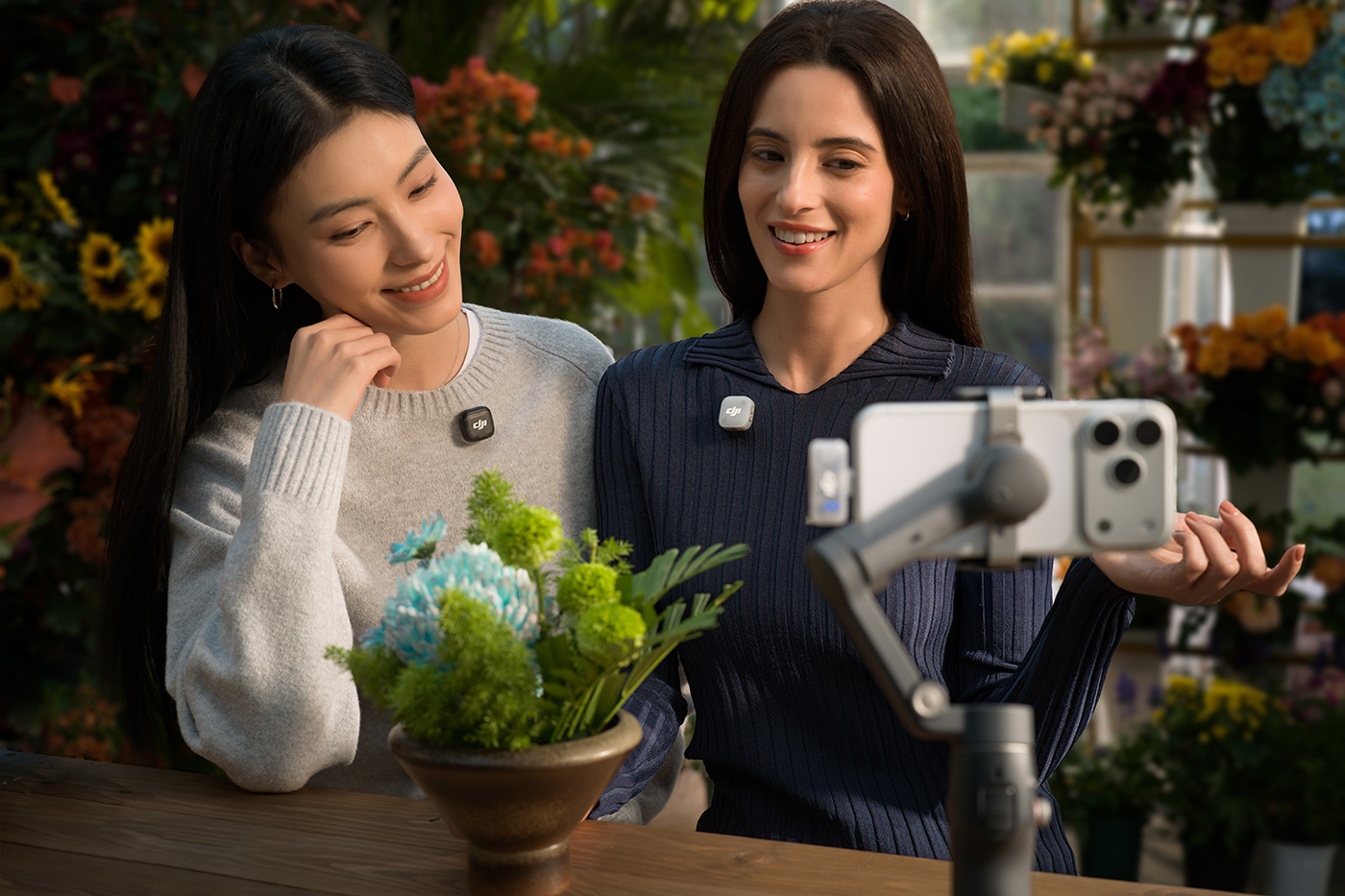
The smaller form factor fits into a bag more easily, and the transmitter is easier to wear, or even hold, as some creators do, without it feeling cumbersome.
Other key advantages Vs Mic 3 include:
- Smaller and lighter transmitters, approximately 11 g vs around 16 g, making them more discreet on clothing
- Longer total battery life with charging case, up to 48 hours vs around 28 hours
- Longer per-transmitter battery life, around 11.5 hours vs roughly 8–10 hours
- Simpler system design with fewer controls and no touchscreen, reducing complexity
- The receiver uses a physical dial instead of a touchscreen, offering more simplicity, which some users prefer
- Lower price across the various kits, making it more accessible for casual creators
- A simpler workflow with fewer settings and no internal recording or timecode to manage
- Avoids the added complexity of a four-channel workflow
- Cleaner mobile-first setup with direct USB-C mobile receiver kits, removing the need for camera-mounted receivers for mobile phone workflows

Compare all four in the table below, including key features and specifications so you can choose the best wireless option for your needs.
|
|
Mic Mini 2 (new) |
Mic Mini |
Mic 3 |
Mic 2 |
|
Release date |
April, 2026 |
November, 2024 |
August, 2025 |
January, 2024 |
|
Transmitter Weight |
Approx. 11 g (excluding magnetic clip and magnet) |
10 g |
16 g (with magnet) |
28 g |
|
Noise Cancelling |
Two-level active noise cancelling |
Two-level active noise cancelling |
Two-level active noise cancelling |
Active noise cancelling |
|
Voice Tone Presets |
Three presets |
Not supported |
Three presets |
Not supported |
|
Adaptive Gain Control |
Automatic limiting to prevent clipping |
Automatic limiting to prevent clipping |
Automatic clipping prevention and dynamic volume balancing |
Not supported |
|
Timecode |
Not supported |
Not supported |
Supported |
Not supported |
|
Internal Recording |
Not supported |
Not supported |
32 GB internal recording, 24-bit and 32-bit float |
8 GB internal recording, 24-bit and 32-bit float |
|
Connection Capability |
Two transmitters, one receiver, supports mixed device pairing |
Two transmitters, one receiver |
Four transmitters, up to eight receivers |
Two transmitters, one receiver |
|
Operating Time |
Transmitter up to 11.5 hours, receiver up to 10.5 hours, charging case up to 48 hours |
Transmitter up to 11.5 hours, receiver up to 10.5 hours, charging case up to 48 hours |
Transmitter up to 8 hours, receiver up to 10 hours, charging case up to 28 hours |
Transmitter up to 6 hours, receiver up to 6 hours, charging case up to 18 hours |
|
Compatible Accessories |
Camera Adapter, Mobile Receiver |
Camera Adapter, Mobile Receiver |
Camera Adapter, Mobile Receiver |
Lavalier Mic, Camera Adapter, Mobile Receiver |
|
Max Transmission Distance |
Up to 400 m |
Up to 400 m |
Up to 250 m |
Up to 250 m |
|
Bluetooth Direct Connection |
Supported |
Supported |
Supported |
Supported |
|
OsmoAudio Direct Connection |
Supported |
Supported |
Supported |
Not supported |
|
Best for |
Beginner and casual creators for easy to use one or two-person recording setups |
Beginner and casual creators for easy to use one or two-person recording setups |
Professional creators who need multi-channel recording, internal backup and timecode |
Professional creators creators who want internal recording backup and don’t need a multi-channel setup |
How to connect it to an iPhone?
To connect to an iPhone, plug the mobile receiver into your device using USB-C (iPhone 15 and newer) or a Lightning adapter (iPhone 14 and earlier). Turn on the mic and it pairs automatically. You can also connect via Bluetooth using compatible third-party recording apps.
Who is it2 for?
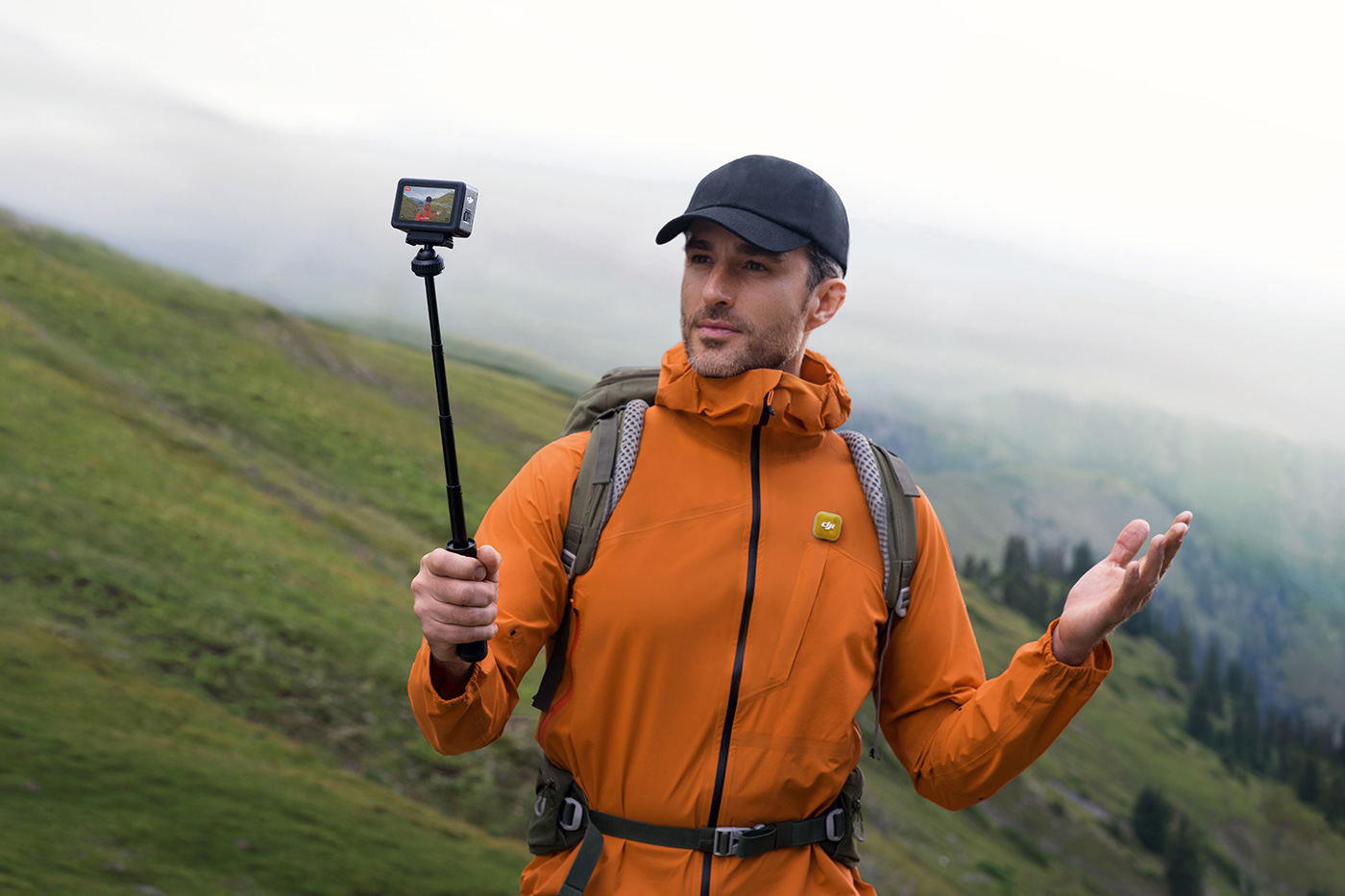
This model is a great choice for content creators, vloggers and interviewers who want a simple way to record one or two people wirelessly. A compact design and extended battery life make it ideal for longer shoots, live events and on-the-go filming, helping you capture professional-sounding audio in an intuitive way.
That’s great, but there are several options available, so which is best for your needs? Find out in our comparison below.
Which kit should you choose?
Compare what’s included in each kit to easily choose between camera and mobile recording options to suit your workflow.
|
|
||||
|
2 |
1 |
2 |
1 |
|
|
Receiver Type |
Standard receiver (3.5mm TRS camera output) |
Standard receiver (3.5mm TRS camera output) |
Mobile receiver (USB-C / Lightning) |
Mobile receiver (USB-C / Lightning) |
|
Included |
Not included |
Included |
Included |
|
|
Windscreens |
2 |
1 |
2 |
1 |
|
Magnetic Front Covers |
4 (2x Black, 2x White) |
2 (1x Black, 1x White) |
4 (2x Black, 2x White) |
2 (1x Black, 1x White) |
|
Magnetic Clips |
2 |
1 |
2 |
1 |
|
Magnets |
2 |
1 |
2 |
1 |
|
Camera Audio Cable (3.5mm TRS) |
Included |
Included |
Not included |
Not included |
|
Mobile Phone Adapter (USB-C) |
Included |
Included |
Not included |
Not included |
|
Charging Case Battery |
Up to 48 hours total runtime |
Not included |
Up to approx. 24 hours total runtime |
Up to approx. 24 hours total runtime |
|
Best Use |
Two-person camera and hybrid recording |
Solo camera or hybrid recording |
Two-person smartphone recording |
Solo smartphone recording |
|
RRP |
£89.00 |
£49.00 |
£69.00 |
£49.00 |
All kits support USB-C devices out of the box. iPhone creators using phones with a Lightning port will need to purchase an optional Receiver Adapter (USB-C to lightning). You can also add a transmitter later if needed, along with accessories, which we explore later.
Which devices work with it?
One of the best features this generation offers is the ability to work seamlessly with devices that support OsmoAudio from a growing ecosystem. Direct connection with Osmo devices allows transmitters to connect directly to supported models such as:
- Osmo Pocket 3
- Osmo Action 6
- Osmo 360
- Osmo Nano
This allows you to record audio straight into the device without attaching a receiver or using any cables. Nice!
How it works
When paired via OsmoAudio, the transmitter sends audio directly to the camera. This is particularly useful for:
- vlogging
- action shooting
- travel
Access to key features such as noise reduction and voice tone presets is maintained, although some settings will be controlled through the device interface rather than the Mimo app.
If you have any of these action cameras, adding this model enhances built-in audio while staying within a simple-to-use ecosystem.
What are the best accessories?
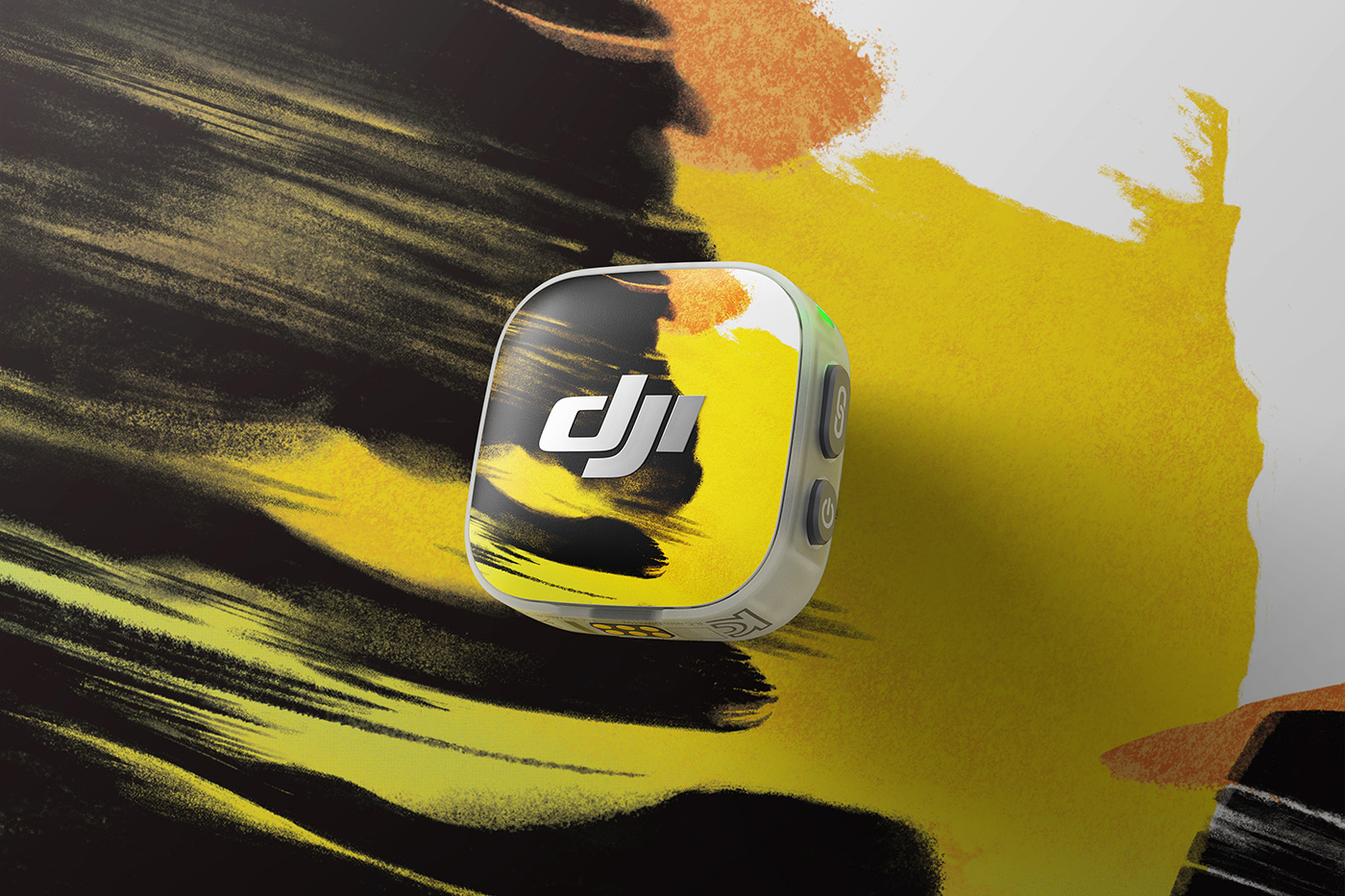
Several accessories accompany the Mini 2 launch, including interchangeable magnetic front covers. In a first, the brand has collaborated with illustrator Victo Ngai, with coloured and illustrated covers that can blend into clothing or stand out on camera, while personalising the transmitter.
Discover unique covers by Victo Ngai in the Time Series Magnetic Cover, and eight coloured options in the Mini 2 Multicolour Magnetic Cover.
If you’re looking for a compact, easy-to-use wireless mic, the microphone includes various kits for creators who shoot with a camera or smartphone. While this generation doesn’t introduce groundbreaking new features, it is even easier to use, with new presets, simple magnetic attachment, and offers great sound quality for a variety of situations.
Browse our full range of video microphones or visit our DJI brand page to discover the wider ecosystem.
Share this post:
By Nick Dautlich on 28/04/2026

Nick Dautlich
Senior Content Writer and Product Reviewer
Nick Dautlich is the Senior Content Writer and Product Reviewer at Park Cameras, with over 15 years of photography experience. A Sony Imaging Professional and expert reviewer, Nick has worked with major brands such as Canon, Sony and Nikon. His work is also featured on Vanguard World UK’s website, Capture Landscapes, and Shutter Evolve. Nick’s photography includes National Trust projects and magazine covers and he is passionate about landscapes and storytelling. Nick also enjoys hiking and teaching his children about nature. Learn more on his profile page.
Trade in your old equipment
Fast and easy trade in service ensures your old gear is collected efficiently and you are paid quickly! It's very simple to trade in your unwanted photography gear. Just head over to our dedicated Sell or Part Exchange page, fill out the details, and we'll get back to you with an offer for your old gear. Take the cash, or put it towards the cost of your new gear. It's up to you! Find out more
sign up to the newsletter
Keep up to date on the latest photography news, events and offers. Sign up now