- Call us 01444 237070

-
- Back
- Used Cameras
- Used Accessories
- Used Lenses
- Back
- Used Canon Lenses
- Used Nikon Lenses
- Used Fujifilm Lenses
- Used Sony Lenses
- Used Micro 4/3rds Lenses
- Used Leica Lenses
- Used Panasonic Lenses
- Used Pentax Lenses
- Used Samyang Lenses
- Used Sigma Lenses
- Used Tamron Lenses
- Used Tokina Lenses
- Used Voigtlander Lenses
- Used Zeiss Lenses
- Used Hasselblad Lenses
- Used Video
- Used Film Equipment
- Used Stock Alert
- Used Blank Test
- Sell or Part Exchange
- Used Clearance
- Recently Added Used Equipment
- Park Picks
- Faulty
- Trade-In
- Blog
- New in
- Call us
- Contact us
- Stores
- Sign in
- Categories
- Tips & Inspiration
- Reviews
- News
- Events
- Features
- Buying Guides
- Competitions
DJI RS 5 How The Camera Gimbal Compares
Getting smooth footage is still one of the biggest challenges in video, especially once you move from static shots to dynamic filming. Anyone who has spent time setting up a gimbal knows that simple and efficient balancing, adjustments, and repeatability can be just as important as the stabilisation itself. Small changes in camera weight or lens choice can quickly turn a simple setup into a frustrating time-consuming one.
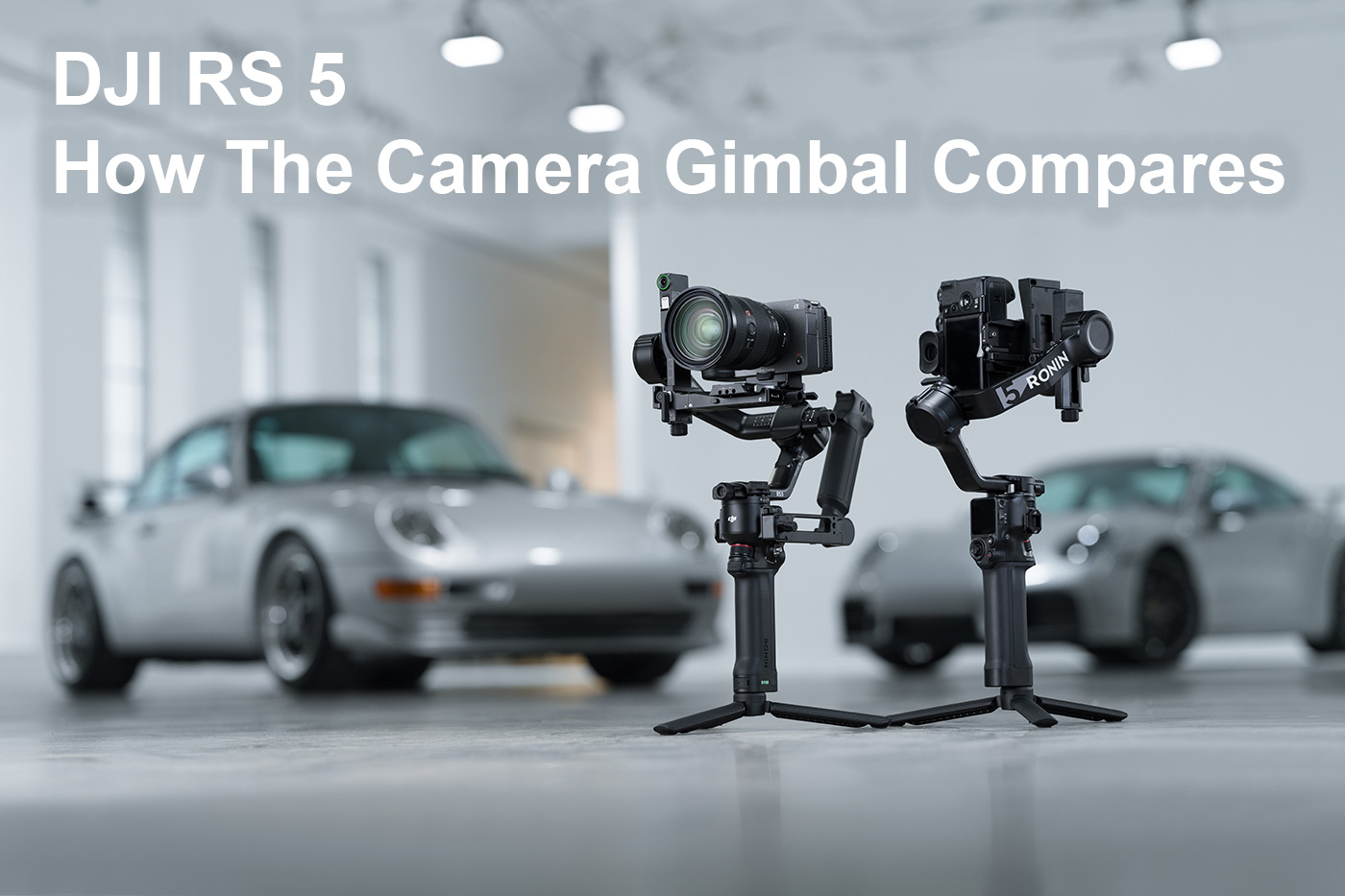
In this guide we look at how the latest DJI camera gimbal aimed at mirrorless creators compares to earlier models. This generation brings changes to tracking, motor performance, handling, and power management, all of which affect how quickly you can switch from setting up to shooting.
Our deep dive into the RS 5 discovers specifications, features, and comparisons and we also explore pricing, how it differs from earlier RS models, and where this DJI gimbal fits within the current range. So without further ado let’s start off with pricing for the UK.
DJI RS 5 and RS 5 Combo price
One of the easiest ways to see where this release fits into DJI’s range of camera gimbals is pricing, which places it slightly above previous generation, somewhere in between Mini and Pro versions.
Current price:
- DJI RS 5 Gimbal £485.00
- DJI RS 5 Gimbal Combo £619.00
Earlier models for comparison:
- DJI RS 4 Gimbal £399.00
- DJI RS 4 Gimbal Combo £529.00
- DJI RS 4 £318.00
This reflects the features found in the current generation, which we investigate below.
What kind of gimbal is the RS 5?
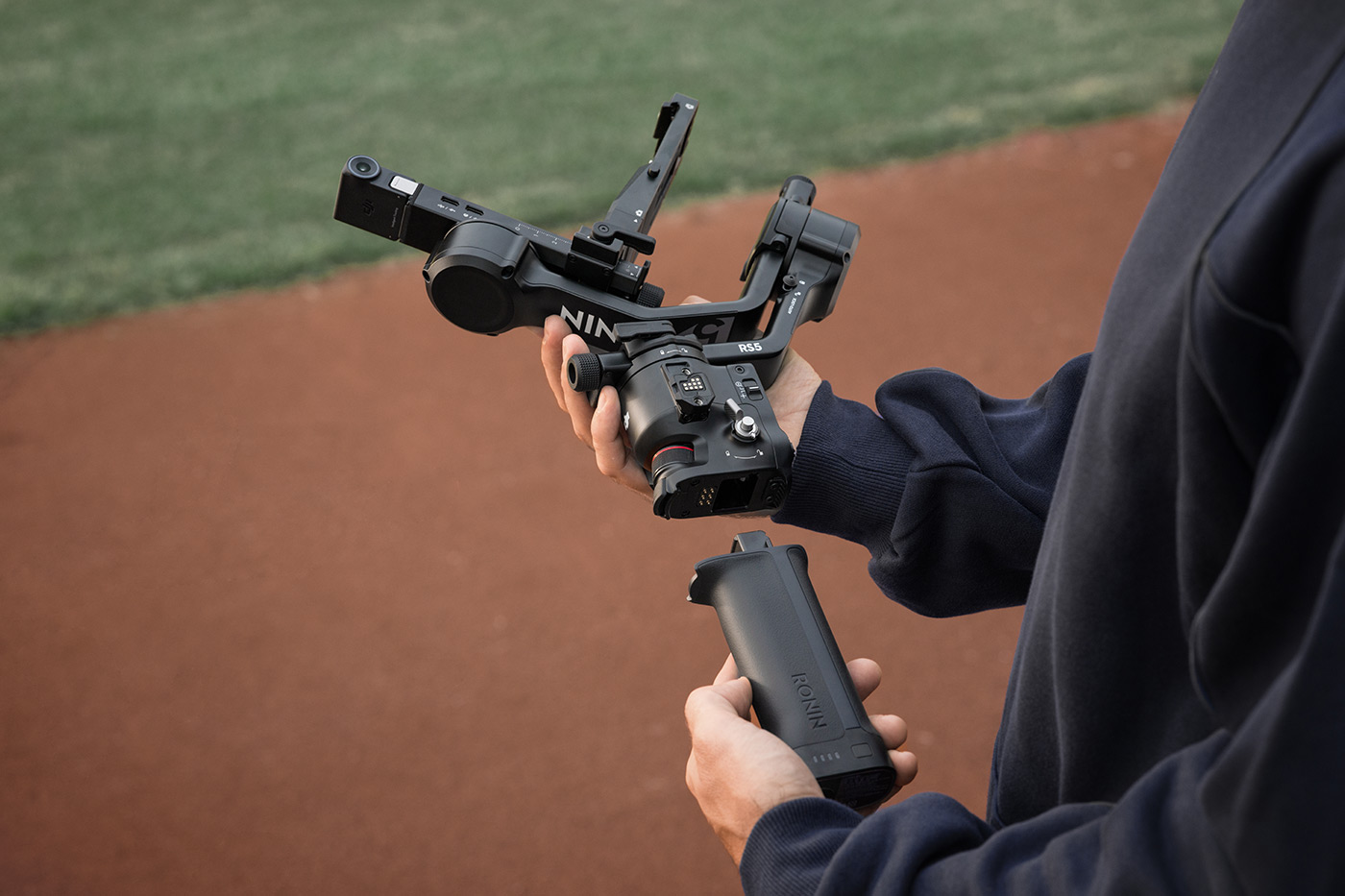
The RS 5 is a mid-range gimbal with features such as tracking, native vertical shooting, and accurate balance controls. It weighs under 1.5 kg which makes it well suited to creators who use mirrorless cameras and need to juggle weight, capability and setup speed.
While it isn’t the smallest in the range, nor is it intended for cinema cameras. Instead it suits a lot of solo creators and smaller teams who shoot with mirrorless systems. The 3 kg payload allows this DJI camera gimbal to support many of the most popular mirrorless cameras used for content creation, which is something we look at more closely later.
Next, let’s explore what the newest and most notable features are.
What’s new in the DJI RS 5?
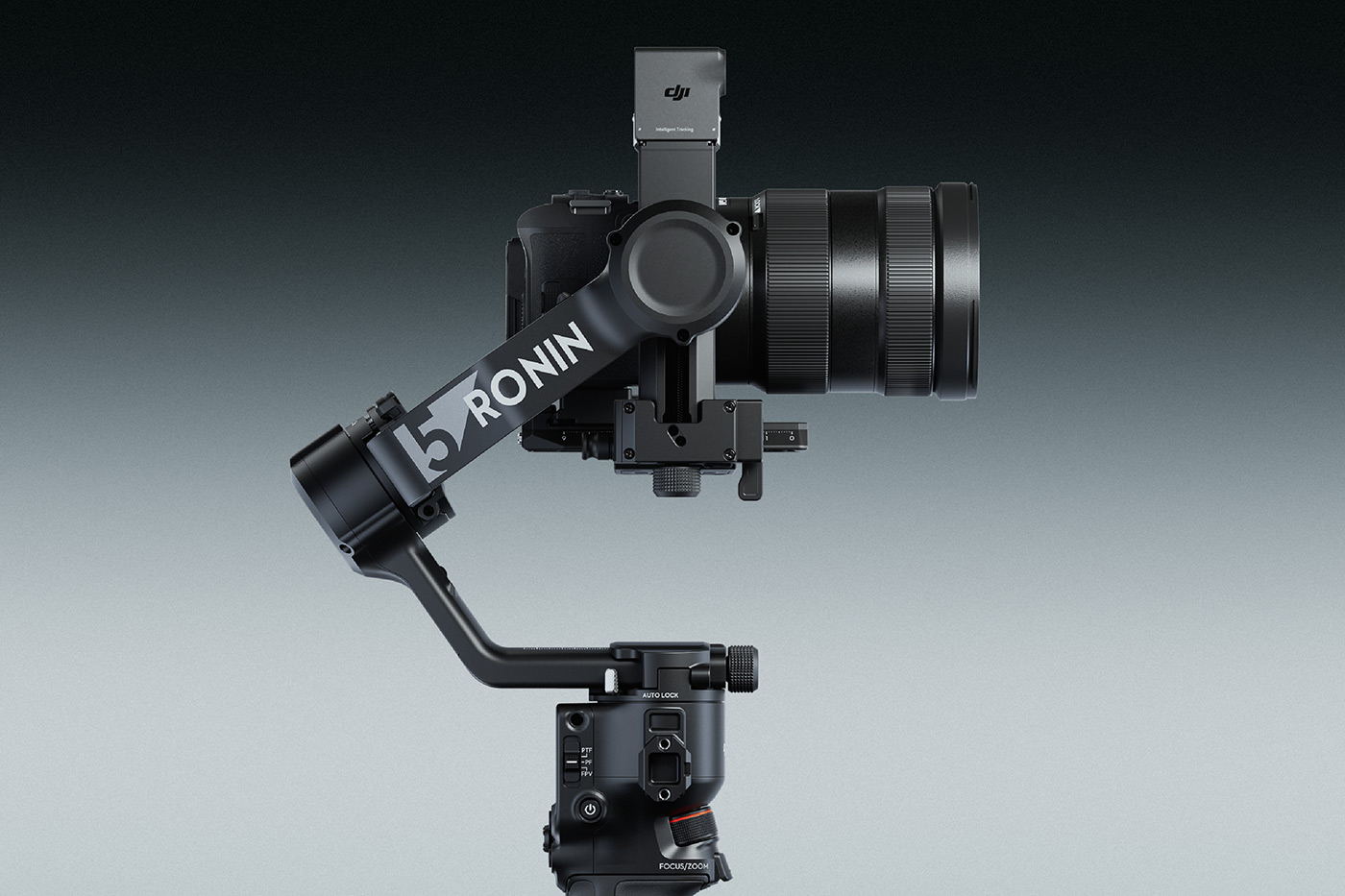
The RS 5 brings several bigger changes, which can have an impact on how efficient the filmmaking process is, which are joined by more minor quality of life upgrades. One of the most notable is to subject tracking, which is now handled better when using a new Enhanced Intelligent Tracking Module. This module is included with the RS 5 Combo, or you can add it optionally to the gimbal-only whenever needed.
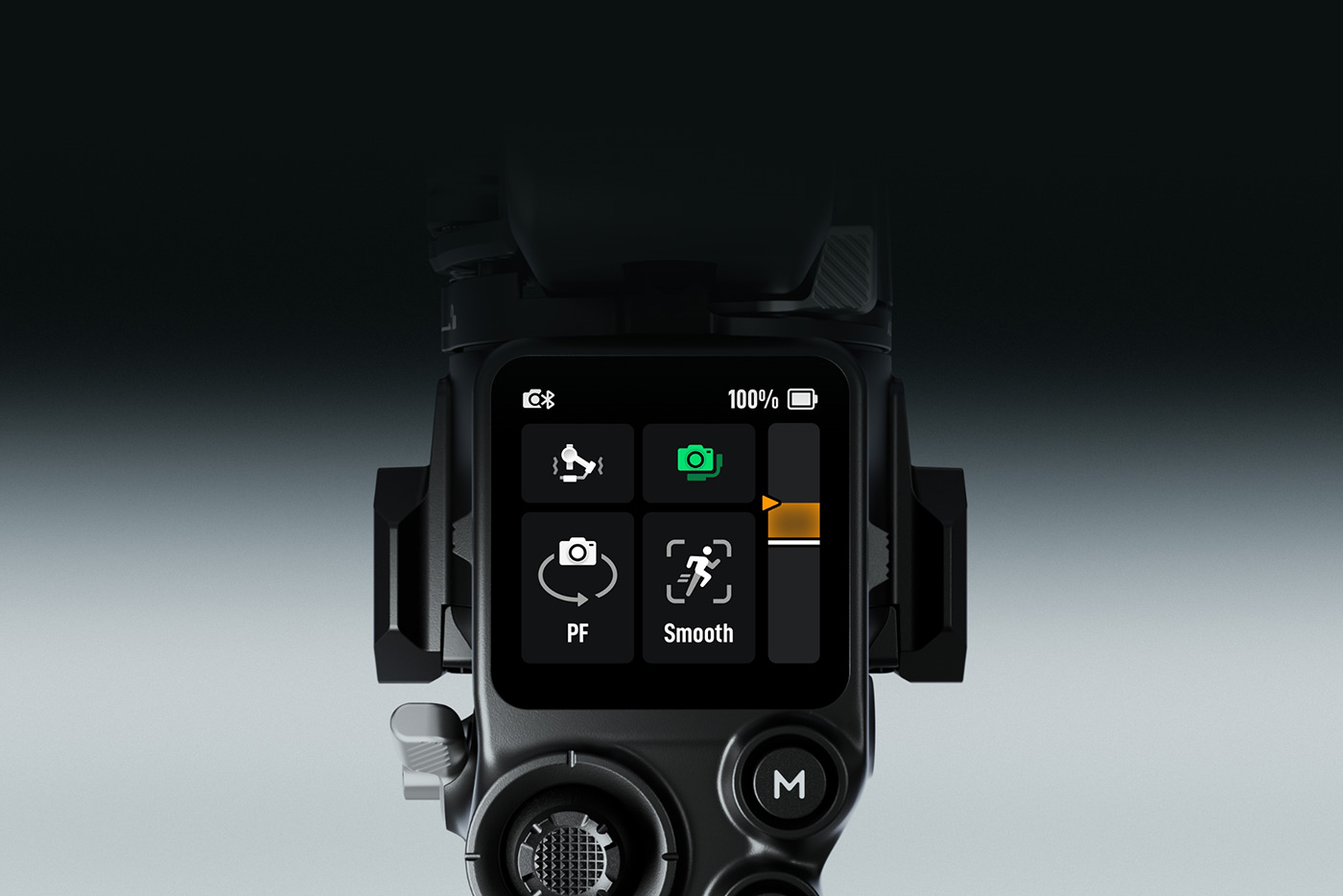
With the Enhanced Intelligent Tracking Module attached, subject selection takes place from the gimbal’s touchscreen instead of from a separate monitor or device. Once you’ve framed your subject, the system tracks it reliably, whether it’s a person, vehicle, or pet. In some situations, it can even reacquire a tracked person if they leave the frame briefly, although that depends on movement, framing, and the environment you’re shooting in.
Stabilisation has been refined and peak motor torque increases by up to 50% compared with the previous generation. Motor torque is complemented by DJI’s fifth-generation RS stabilisation algorithm, which enables the gimbal to stay composed during faster movement, walking shots, and vertical shooting, while also balancing relatively heavy mirrorless setups.
Handling sees a series of small but useful updates such as to the fine-tuning knobs on each axis, which make it easier to set balance adjustments. A new Z-axis indicator provides real-time feedback while moving, which can help you to adjust your walking pace or gait in order to reduce distracting vertical bounce. Second-generation automated axis locks now engage when the gimbal powers off or enters sleep mode, which release on start-up, speeding up your transitions between shooting and idle.
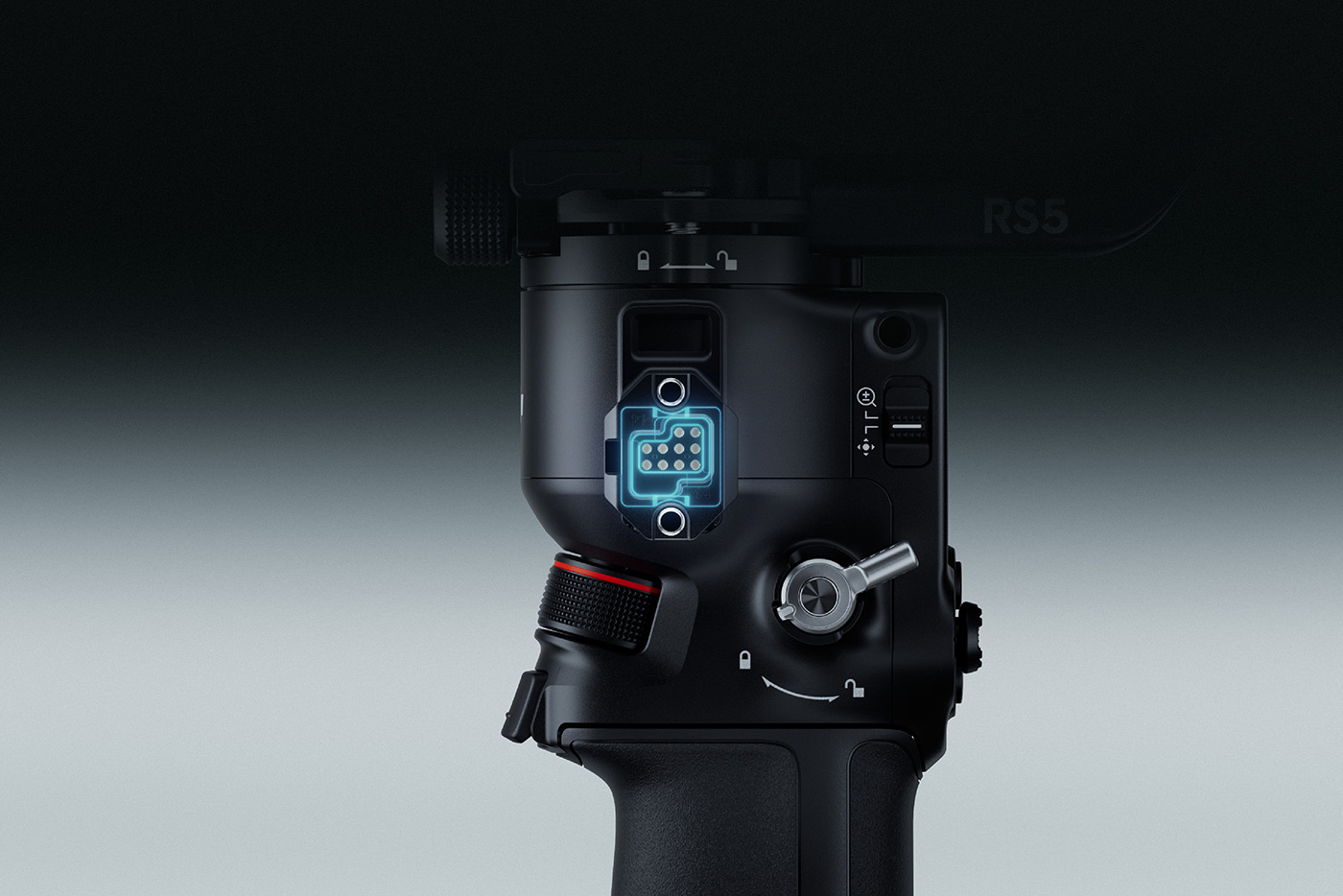
Power and connectivity are also improved, and charging time drops to around an hour when using a compatible USB-C PD charger and battery grip. Standby time increases by roughly 15% too, which is pretty handy when considering it’s now around 14 hours when using the BG33 Battery Grip, or a whopping 30 hours with the RS BG70 High-Capacity Battery Grip.
Bluetooth shutter support now includes Panasonic and Fujifilm cameras, which will be a welcome addition for creators who want cable-free control of recording and zoom functionality.
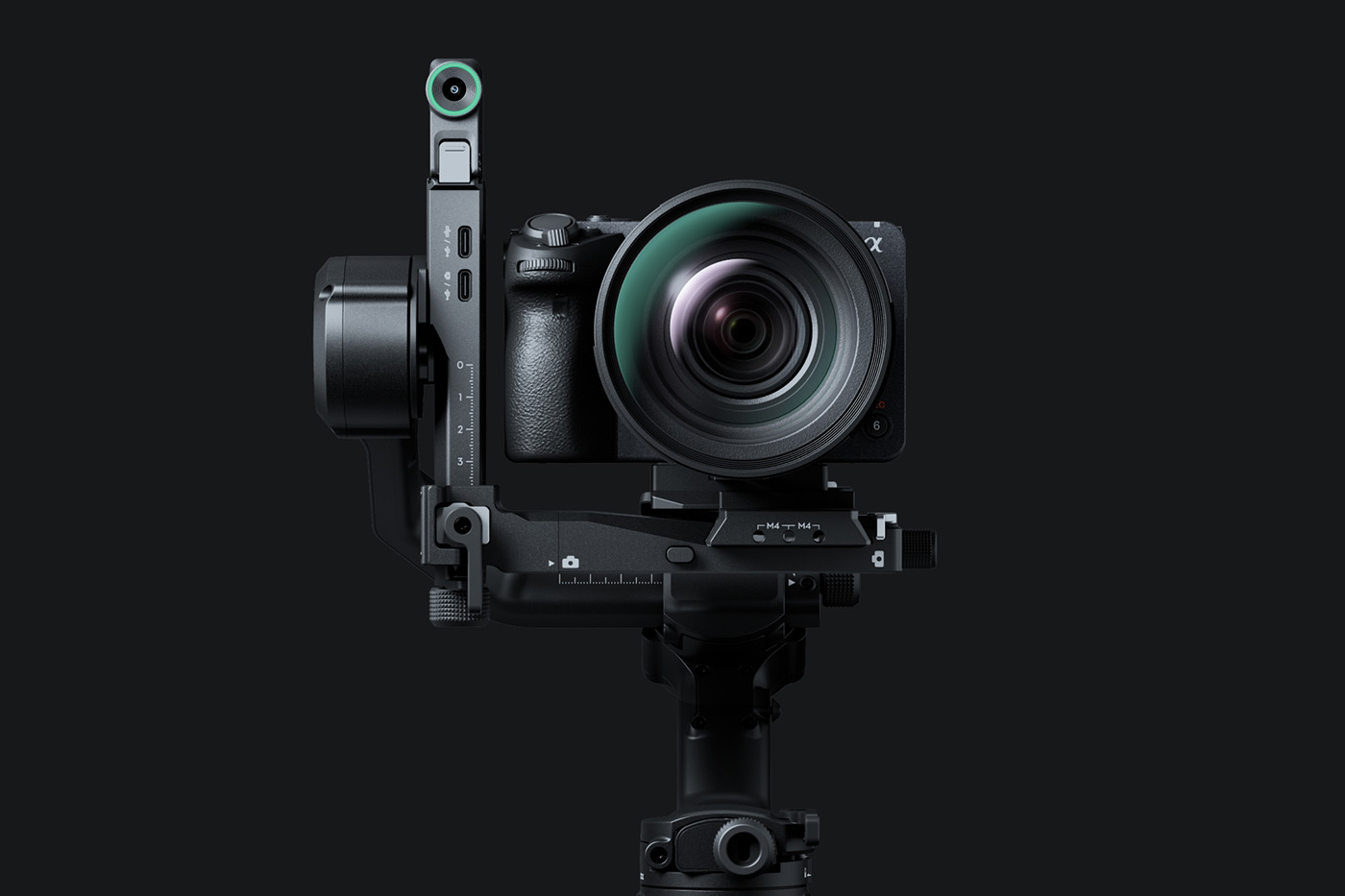
Even with these changes, DJI has managed to keep the size compact and the gimbal weighs 1.46 kg with the grip and QR plates, while supporting payloads of up to 3 kg.
With all of these tweaks, it can be easier to see how everything looks in a comparison table, which is what we have for you next.
DJI RS 5 vs DJI RS 4 Specs comparison table
The table below compares the DJI RS 5 and the previous-generation RS 4 stabilisation performance, power, handling, and connectivity.
|
|
DJI RS 5 (new) |
DJI RS 4 |
|
Tested payload capacity |
Up to 3 kg |
Up to 3 kg |
|
Weight (ready to shoot, incl. grip and plates) |
Approx. 1.46 kg (battery grip and quick-release plates installed) |
Approx. 1.55 kg total (gimbal, grip, extended grip/tripod, upper and lower plates) |
|
Stabilisation algorithm |
5th-generation RS stabilisation algorithm |
4th-generation RS stabilisation algorithm |
|
Peak motor torque |
Up to 50% higher |
Lower peak torque |
|
Subject tracking |
Touchscreen subject selection with Enhanced Intelligent Tracking Module |
Tracking supported, without touchscreen tracking view |
|
Supported tracking subjects |
Person, vehicle, or pet (conditions apply) |
Human subject only |
|
Tracking view on gimbal screen |
Yes (with Enhanced Intelligent Tracking Module) |
No |
|
Native vertical shooting |
Supported |
Supported |
|
Automated axis locks |
2nd-generation automated axis locks |
Automated axis locks |
|
Z-axis indicator |
Included |
Not included |
|
Battery type |
Detachable BG33 Battery Grip |
Detachable battery grip |
|
Battery capacity |
2150 mAh |
2970 mAh |
|
Runtime |
Approx. 14 hours (balanced, stationary, BG33) |
Approx. 12 hours (balanced, stationary, BG21) |
|
Charging time |
Approx. 1 hour 42 mins with supported USB-C PD charger and BG33 |
Approx. 2.5 hours (using the standard grip) |
|
Bluetooth camera control |
Selected Sony, Canon, Nikon, Panasonic and Fujifilm |
Selected Sony, Canon, Nikon |
|
Connectivity and ports |
USB-C, RSA port, accessory expansion |
USB-C, RSA port, accessory expansion |
Tracking and subject control on DJI gimbals
In this section we look closely at RS 5 subject tracking capability, as tracking is a popular feature that a lot of solo creators use when making content. Before diving into a Q&A it’s worth noting that when tracking is active, composition does not have to remain fixed and can be fluid.
Framing can be adjusted using the gimbal interface, joystick, or gestures, then locked once the composition is set.
How many subjects can the RS 5 track at once?
When used with the Enhanced Intelligent Tracking Module, the RS 5 supports one tracked subject at a time, whether that is a person, vehicle, or pet.
Which gimbal modes support tracking?
On the RS 5, intelligent tracking is supported in pan follow (PF) and pan and tilt follow (PTF) modes. Tracking is not available in FPV mode.
What happens if a tracked subject leaves the frame?
When tracking a person, the RS 5 can reacquire the subject if they briefly leave the frame, provided scene conditions allow. This behaviour does not apply to vehicle or pet tracking.
How is tracking controlled?
With the Enhanced Intelligent Tracking Module attached, subjects can be selected and adjusted directly from the RS 5 touchscreen. Gesture-based control is also supported in compatible setups.
What affects tracking performance?
Tracking performance on the RS 5 depends on subject movement speed, lighting conditions, occlusion, and scene complexity. Single-subject scenes with clear separation provide the most consistent results.
Are tracking modules compatible with all DJI gimbals?
DJI tracking modules support different gimbal models depending on version. The Enhanced Intelligent Tracking Module attaches directly to the RS 5 and RS 4 Mini, while RS 4 and RS 4 Pro require an adapter. Feature availability, including touchscreen tracking view, varies by gimbal model.
Controls
The graphic below lists all of the controls found on the gimbal.
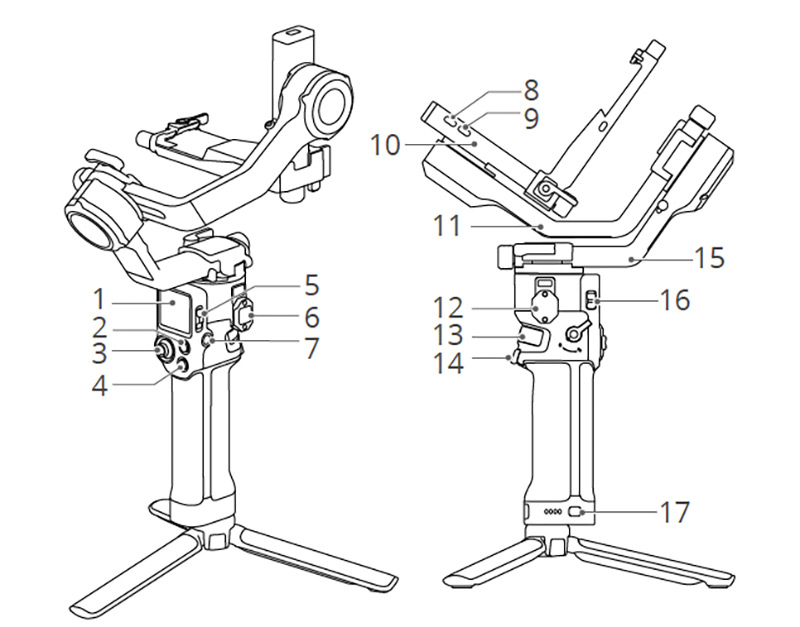
- Touchscreen
- M Button
- Joystick
- Camera Control Button
- Gimbal Mode Switch
- NATO Port
- Power Button
- Multifunctional Port
- Camera Control Port (USB-C)
- Tilt Axis
- Roll Axis
- Ronin Series Accessories (RSA) and NATO Ports
- Front Dial
- Trigger
- Pan Axis
- Joystick Mode Switch
- Battery Level Button
What’s included in the DJI RS 5 vs RS 5 Combo?
The DJI RS 5 and RS 5 Combo both come with the fifth-gen. stabiliser, but the Combo adds accessories that enhance control and subject tracking, which will suit certain users. The table below compares what’s included in the box for each.
|
Included item |
DJI RS 5 |
DJI RS 5 Combo |
|
Gimbal |
✔ |
✔ |
|
Quick-Open Tripod |
✔ |
✔ |
|
Carrying Case |
✖ |
✔ |
|
DJI Logo Sticker |
✔ |
✔ |
|
Lens-Fastening Support |
✔ |
✔ |
|
Screw Kit |
✔ |
✔ |
|
L-Shaped USB-C Cable (13 cm) |
✖ |
✔ |
|
Multi-Camera Control Cable (USB-C, 30 cm) |
✔ |
✔ |
|
RS 5 Upper Quick-Release Plate |
✔ |
✔ |
|
RS 5 Lower Quick-Release Plate |
✔ |
✔ |
|
BG33 Battery Grip |
✔ |
✔ |
|
RS Enhanced Intelligent Tracking Module |
✖ |
✔ |
|
Electronic Briefcase Handle |
✖ |
✔ |
How about accessory compatibility, which is important for existing ecosystem users?
Which accessories are compatible with DJI RS 5 and 4 gimbals?
If you’re an RS 4 gimbal owner there are quite a few accessories that will be compatible as many accessories released over the past few years will work with both models. The table below highlights those which are compatible with the RS 5 and RS 4.
|
Accessory |
DJI RS 5 (new) |
DJI RS 4 |
|
Compatible |
Compatible |
|
|
Compatible |
Compatible |
|
|
RS BG30 Battery Grip |
Compatible |
Compatible |
|
Compatible |
Compatible |
|
|
RS Upper Quick-Release Plate (2024) |
Compatible |
Limited compatibility |
|
Compatible |
Compatible |
|
|
RS Lower Quick-Release Plate (2024) |
Compatible |
Limited compatibility |
|
Compatible |
Not compatible |
|
|
RS Standard Briefcase Handle |
Compatible |
Compatible |
|
RS Tethered Control Handle |
Compatible |
Compatible |
|
RS Focus Motor (2022) |
Compatible |
Compatible |
|
Compatible |
Compatible (adapter required) |
|
|
RS Intelligent Tracking Module |
Compatible |
Compatible (adapter required) |
|
Compatible |
Compatible |
|
|
Ronin Image Transmitter |
Not compatible |
Compatible |
Who is the DJI RS 5 for?
The DJI RS 5 is a great choice for users who need smooth stabilisation without the size and weight of larger devices, and includes:
- Solo creators
- Small crews and production teams
- Hybrid shooters
With such good tracking options, native vertical shooting, and intuitive handling, the RS 5 works for interviews, walk-and-talk shots, short-form content, as well as content where time or space are at a premium.
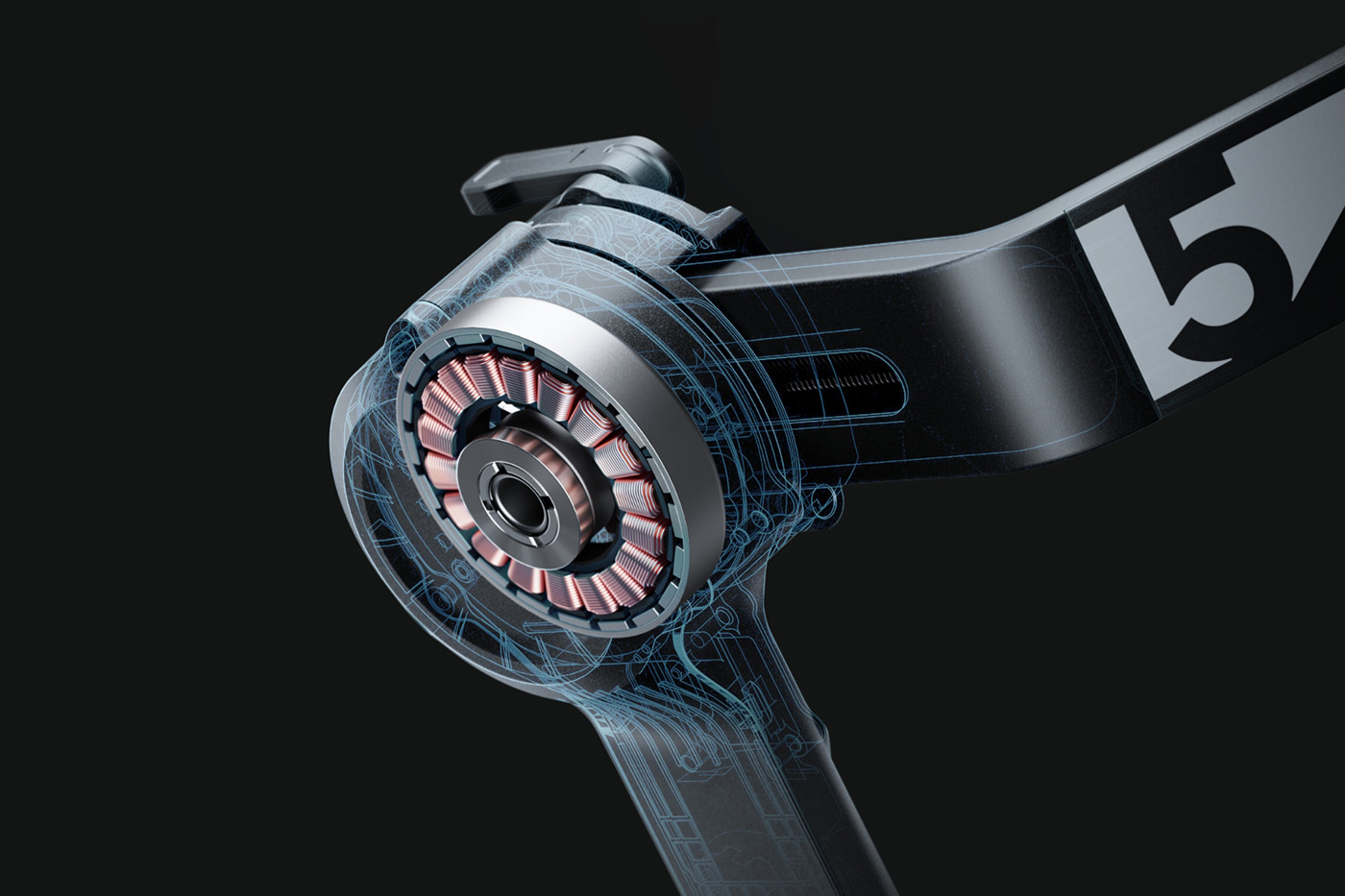
If your workflow involves a mirrorless camera with a prime lens or standard zoom the RS 5 fits the bill with its combination of portability and capability.
Irrespective of whether you wonder is a gimbal is worth it and when to use one, which we explore in another article, the RS 5 is a worthy upgrade to DJI’s popular RS line. It refines aspects which are arguably most important for everyday use, including significant improvements to motor performance, refined control over balancing, power, and touchscreen-based tracking, which all lead towards faster setup and better stabilisation.
The payload supports common full-frame and APS-C setups weighing up to 3 kg, such as Sony Alpha cameras with a 24–70mm f/2.8, or similar kits from Canon, Nikon, Panasonic, and Fujifilm. Users also gain access to useful features for everyday content creation, like native vertical shooting, as well as broad compatibility with DJI’s new and existing RS accessories.
Considerations include the need for the Enhanced Intelligent Tracking Module to make the most of improvements to tracking, with only one subject tracked at a time. Likewise, the payload hasn’t increased, which leaves some users waiting for the Pro version. There’s also a learning curve for newcomers, who should expect to put aside some time to learn how to set up and balance the gimbal.
This may be where the Combo makes sense, by adding value for creators who plan to use tracking and low-angle shots regularly from the outset, providing two solid options based on your specific needs.
If you’re still deciding between the RS 5 and RS 5 Combo, you can explore both products to see which best suits your shooting style and workflow. And don’t forget that you can trade in your unwanted gear and use the cash you make to offset against an upgrade.
Share this post:
By Nick Dautlich on 29/01/2026

Nick Dautlich
Senior Content Writer and Product Reviewer
Nick Dautlich is the Senior Content Writer and Product Reviewer at Park Cameras, with over 15 years of photography experience. A Sony Imaging Professional and expert reviewer, Nick has worked with major brands such as Canon, Sony and Nikon. His work is also featured on Vanguard World UK’s website, Capture Landscapes, and Shutter Evolve. Nick’s photography includes National Trust projects and magazine covers and he is passionate about landscapes and storytelling. Nick also enjoys hiking and teaching his children about nature. Learn more on his profile page.
Trade in your old equipment
Fast and easy trade in service ensures your old gear is collected efficiently and you are paid quickly! It's very simple to trade in your unwanted photography gear. Just head over to our dedicated Sell or Part Exchange page, fill out the details, and we'll get back to you with an offer for your old gear. Take the cash, or put it towards the cost of your new gear. It's up to you! Find out more
sign up to the newsletter
Keep up to date on the latest photography news, events and offers. Sign up now